
Ableton, Logic, FL Studio, Cubase, Bitwig and Pro Tools compared
The DAW debate can sound more like football rivalry than music production. Producers defend their chosen software, tutorials promise that one platform has a secret advantage, and every major update restarts the argument.
The truth is less dramatic—and more useful. Every DAW in this comparison is capable of making a professional record. The difference is not sound quality. It is the route each one gives you from an empty project to a finished track.
Some DAWs encourage loops, improvisation and happy accidents. Others reward detailed arrangement, deep MIDI editing or traditional recording. One may help you write faster, while another makes mixing, collaboration or live performance feel more natural.
So this is not a search for one universal winner. It is a guide to finding the working environment that best matches the way you hear and build music.
An editor's perspective
I have used Cubase since 1990, through generations of the platform, and Cubase 15 remains at the centre of my own studio. That history inevitably makes it feel natural to me—but familiarity is not the same thing as universal superiority. I have also tested other DAWs and understand why their different approaches inspire fiercely loyal users.
This comparison therefore keeps personal preference in its proper place. Each platform is assessed by what it makes easy for a new user, how far it can grow with an experienced producer, and the kind of creative thinking its workflow encourages. The aim is not to crown my own favourite. It is to help you find yours.
The quick answer
| DAW | Natural starting point | Getting started | Room to grow | Consider before choosing |
|---|---|---|---|---|
| Ableton Live 12 | Electronic production, remixing and performance | Fast once Session View clicks | Excellent for advanced routing, Max for Live and stage work | Its clip-led language can feel unfamiliar to producers raised on a conventional timeline |
| Logic Pro | Mac-based songwriting and all-round production | Friendly for beginners, with strong included content | Deep enough for detailed recording, composition and mixing | Mac-only, so collaboration may require stems when partners use Windows |
| FL Studio 2026 | Beats, patterns and piano-roll writing | Immediate for rhythm-led ideas | Powerful for advanced MIDI, sound design and full arrangements | Pattern freedom rewards good project organisation as arrangements grow |
| Cubase 15 | Detailed MIDI, vocals and hybrid studio work | Capable from day one, but broader to learn | Exceptional depth for composing, editing, routing and mixing | Its breadth can take longer to master than more deliberately minimal systems |
| Bitwig Studio 6 | Modulation, experimental sequencing and hardware | Approachable at surface level | Especially deep for modular design and expressive control | Its most distinctive tools are specialist, and fewer collaborators may use it |
| Pro Tools 2026 | Recording, editing and studio collaboration | Familiar to engineers, less playful for loop-first beginners | Excellent for large sessions, precision audio and mix delivery | Electronic writers may prefer another DAW at the creative front end |
Ableton Live 12: ideas before rules
Ableton Live remains the clearest choice for producers who want to treat the studio as an instrument. Its defining feature is Session View, where clips and scenes can be launched, combined and rearranged without committing immediately to a fixed timeline. That makes it particularly natural for electronic music, remixing and live performance.
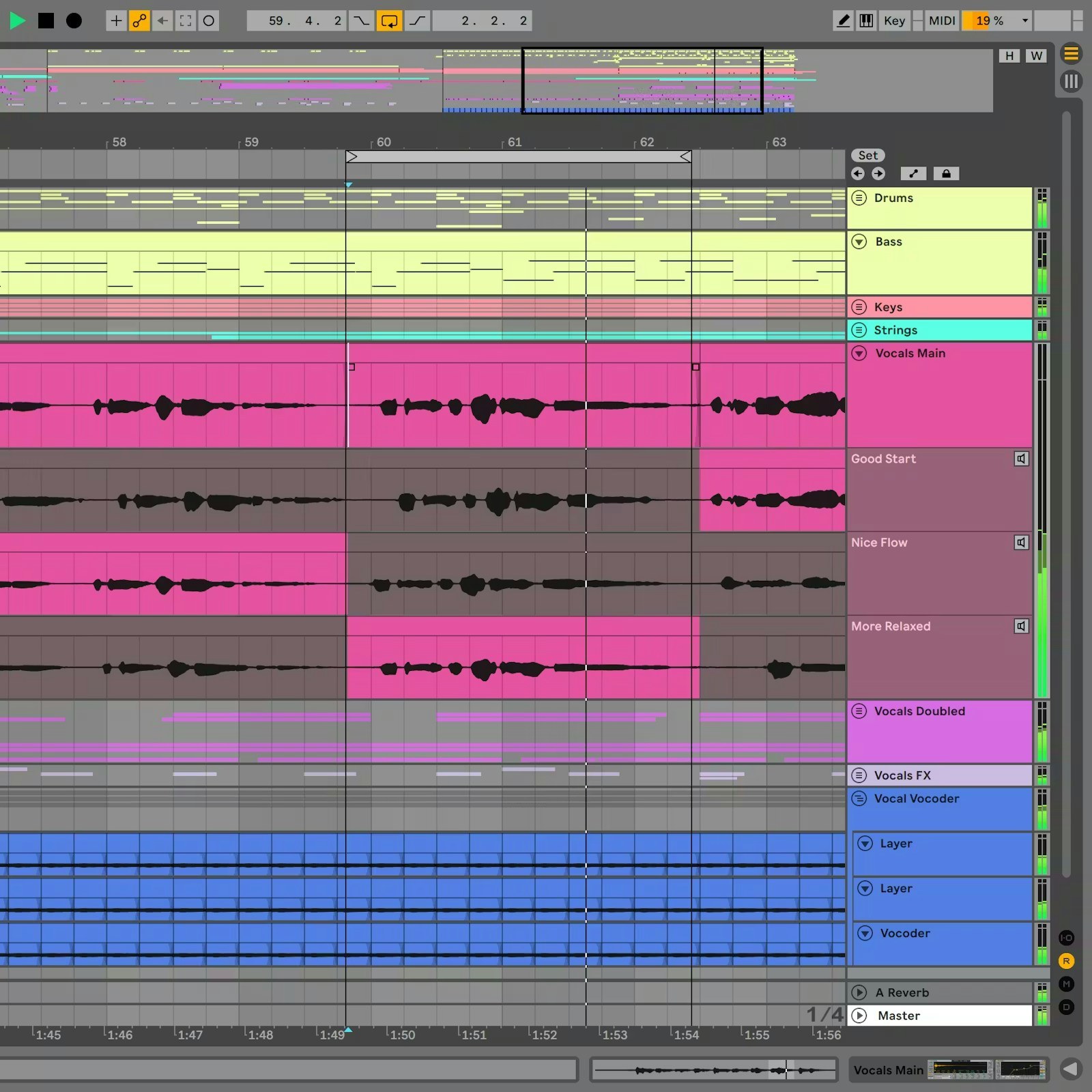
Ableton Live 12's Arrangement View provides a conventional timeline when an improvised idea is ready to become a structured track. Image: Ableton.
When the idea is ready to become a track, Arrangement View provides the familiar left-to-right structure. Live 12 has also expanded its MIDI transformations and generators, scale awareness and editing, while recent updates add stem separation in Suite and tighter browser integration with Splice.
Its other great strength is audio warping. Loops, vocals and found sounds can be bent around tempo quickly, encouraging experimentation before technical friction breaks the mood.
The trade-off is that Live has its own visual and musical language. Producers who think primarily in mixer channels, score-like MIDI parts or traditional recording sessions may need time to adjust. But for building energy from loops and turning studio ideas into a performance, it remains hard to ignore.
Best for: improvisation, remixing, fast electronic arrangement and live sets.
Logic Pro: the complete Mac studio
For a producer already working on a Mac, Logic Pro offers one of the most complete self-contained studios available. Its instruments, samplers, drum tools, effects and large sound library make it possible to move from first idea to final mix without immediately buying a separate collection of plug-ins.
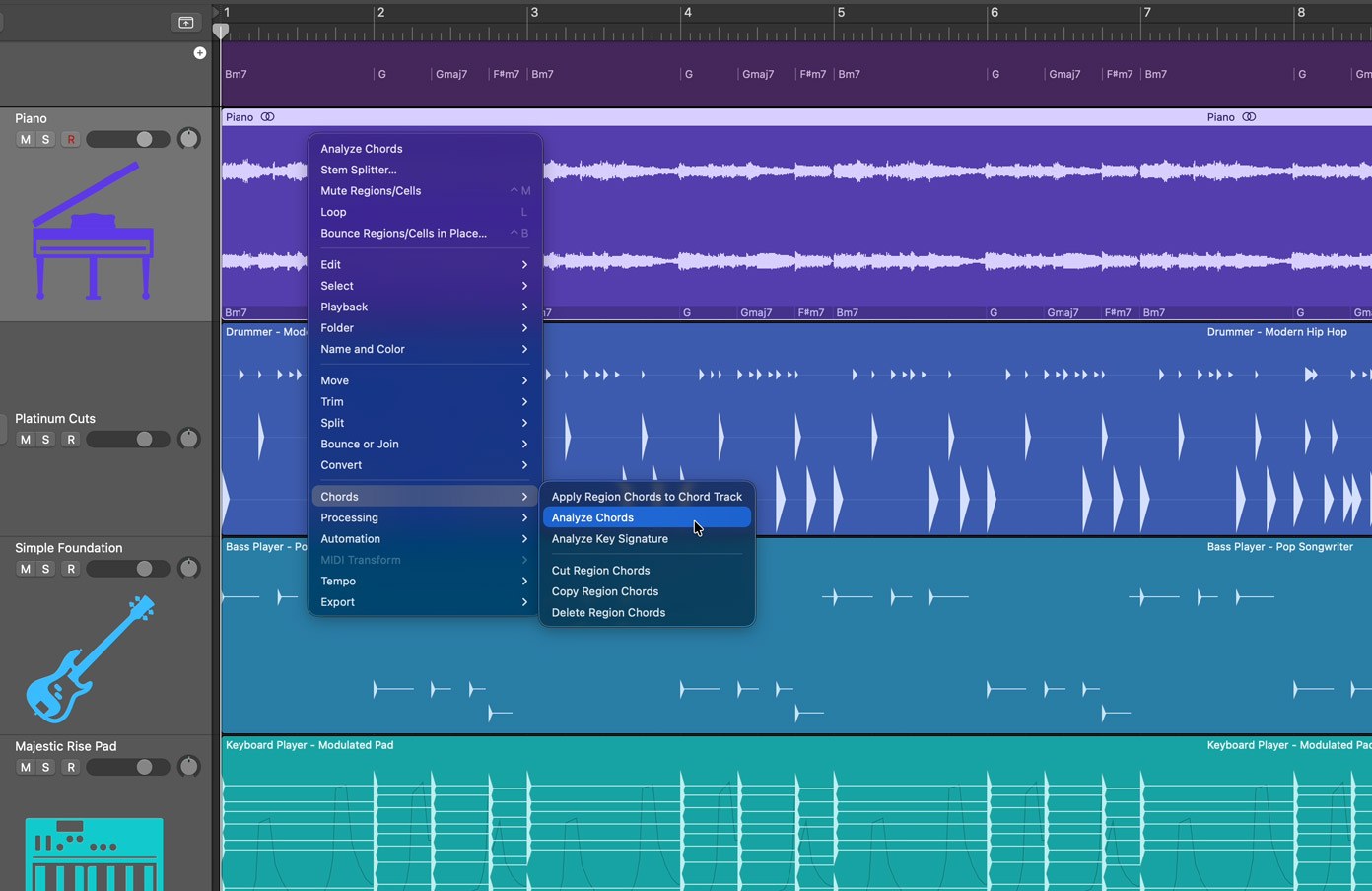
Logic Pro's Chord ID can analyse audio and place the detected harmony into the project—one example of creative assistance inside its familiar timeline. Image: Apple.
Logic follows a more conventional timeline than Ableton, but it is not short of creative tools. Flex Time and Flex Pitch support detailed audio correction, Quick Swipe Comping makes performance editing approachable, and recent versions have added improved Stem Splitter capabilities and intelligent production assistance. Flashback Capture can also recover a performance played before record was pressed—a small feature that can save a genuinely good idea.
Its greatest limitation is straightforward: Logic is part of the Apple ecosystem. That can be an advantage when the Mac is the centre of the studio, but collaborators on Windows will need audio stems or another exchange format.
For Mac-based musicians who want depth, polish and a strong included toolkit without assembling the studio piece by piece, Logic is an extremely persuasive all-rounder.
Best for: Mac producers, songwriting, vocal production and complete in-the-box projects.
FL Studio 2026: rhythm first, rules later
FL Studio grew from a pattern-based beat-making environment, and that DNA remains one of its greatest strengths. The Channel Rack makes rhythmic ideas immediate, while its Piano Roll is widely admired for fast, detailed note programming. For house, hip-hop, bass music and any style built from tightly shaped drums and melodic patterns, the workflow can feel almost frictionless.
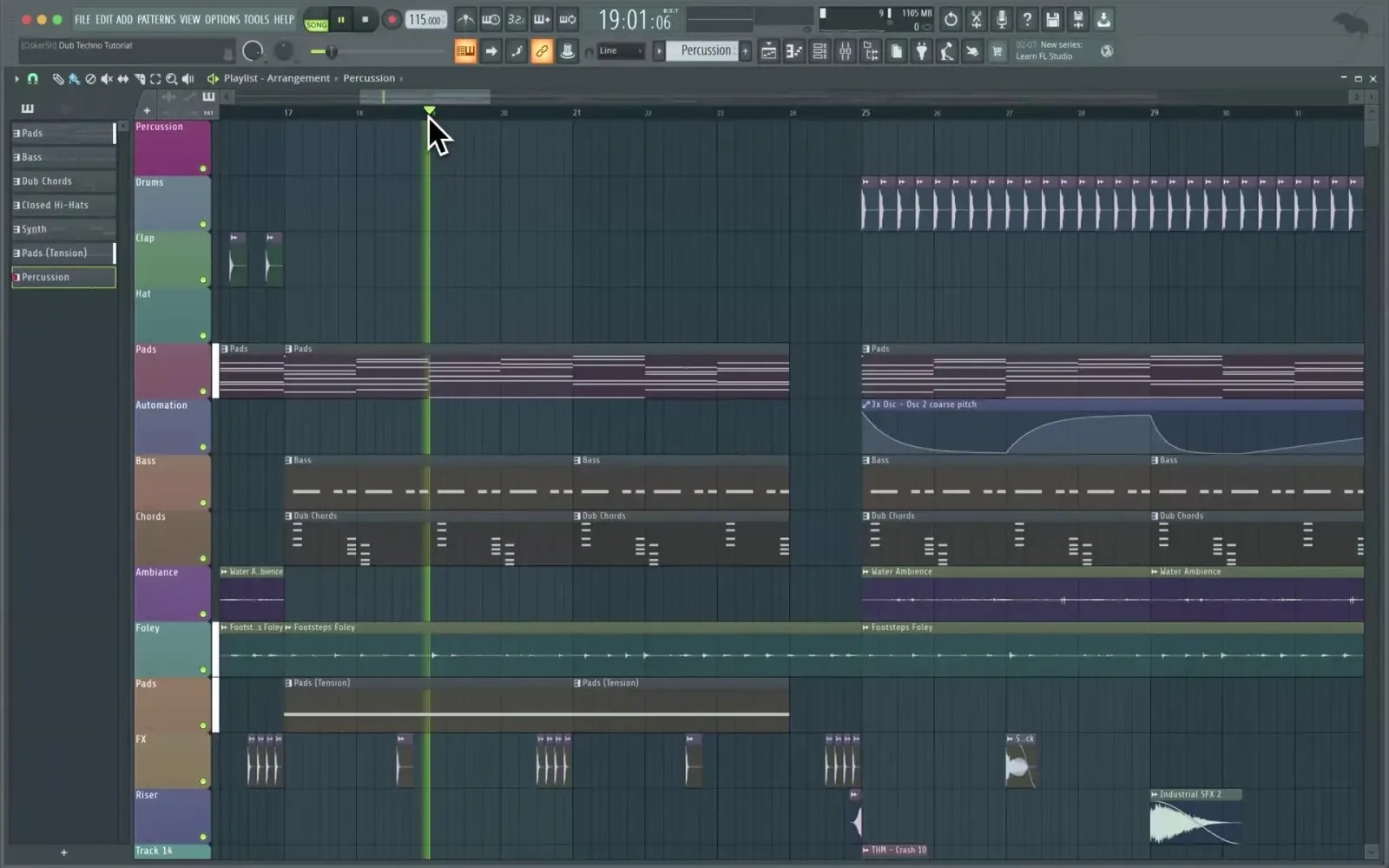
FL Studio's pattern-led workflow keeps beats, MIDI and arrangement closely connected. Image: Image-Line.
Modern FL Studio is far more than a loop tool. It supports full audio recording, mixing, stem separation and a large range of instruments and effects, while current creative features include chord and loop-starting tools. Image-Line's lifetime free updates also make its ownership model unusually attractive: an existing licence continues to receive future FL Studio releases.
Its flexibility is both the appeal and the warning. Patterns, clips and routing can be assembled in many different ways, so large projects benefit from a disciplined naming and colour system. Producers moving from a traditional tape-style timeline may also need to rethink how the Playlist, Channel Rack and Mixer relate to one another.
If rhythm and MIDI are where a track normally begins, FL Studio deserves a serious trial.
Best for: beat-led production, detailed piano-roll work and producers who value lifetime updates.
Cubase 15: depth without changing rooms
Cubase has decades of production history behind it, but its modern appeal is not nostalgia. It is the ability to keep composing, recording, editing and mixing inside one highly developed environment.
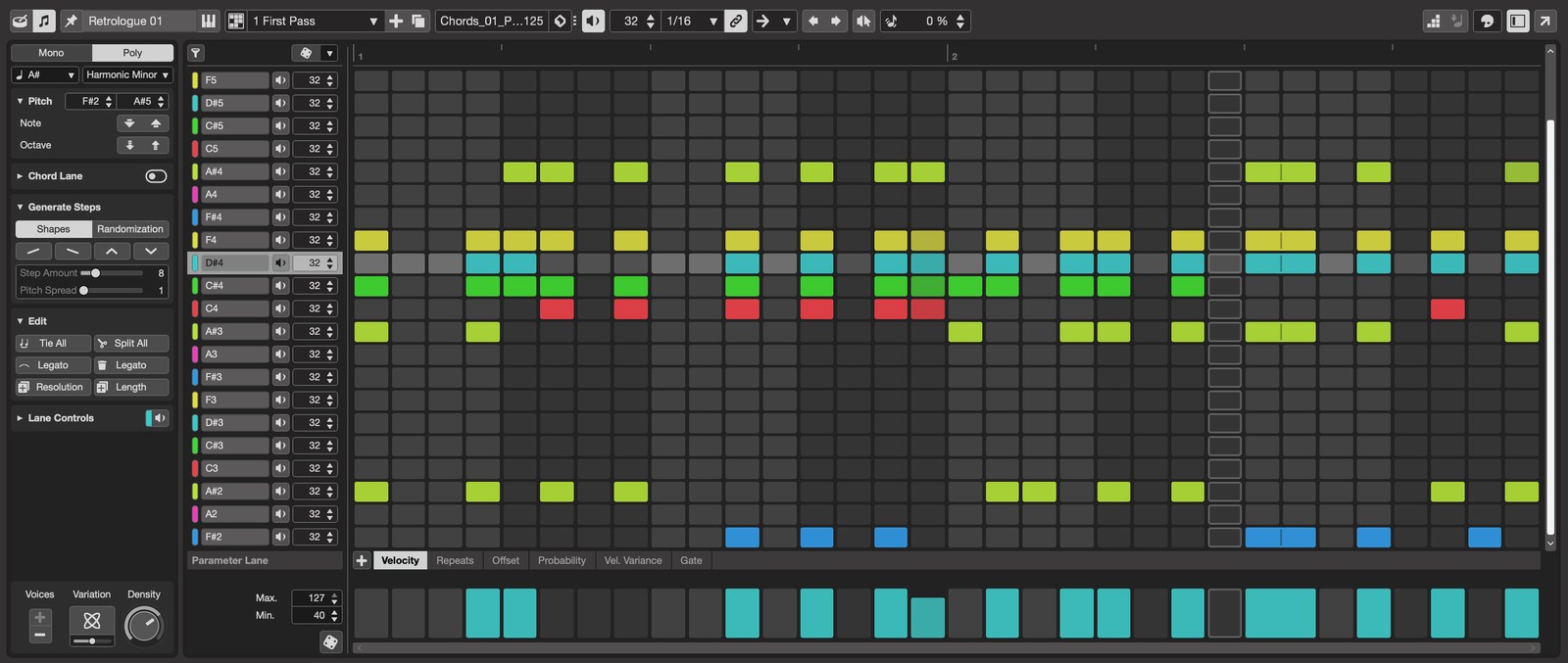
Cubase 15 adds rapid pattern creation to an already deep composing, editing and mixing environment. Image: Steinberg.
MIDI remains a particular strength. Chord Pads, the Key Editor, expression tools and the newer Pattern Sequencer support everything from detailed programming to rapid rhythmic sketches. For vocals, VariAudio provides integrated pitch and timing work. For larger recording and mixing setups, MixConsole and Control Room offer the kind of routing and monitoring detail that becomes increasingly valuable as a project grows.
Cubase can therefore suit the electronic producer who also records vocalists, plays hardware instruments, writes complex arrangements or delivers detailed mixes. It feels less like a single creative trick and more like an entire production department.
That depth creates the main compromise: there is a lot to learn. A new user may initially see menus and options where a more minimal DAW shows only the next move. Producers willing to build a template and learn the system, however, can create a very efficient long-term studio.
Best for: advanced MIDI, vocal production, detailed arranging and hybrid electronic studios.
Bitwig Studio 6: modulation as a way of thinking
Bitwig Studio is the most exploratory option in this group. Like Ableton, it combines a linear Arranger with a non-linear Clip Launcher, but its identity is built around modulation and modular design.
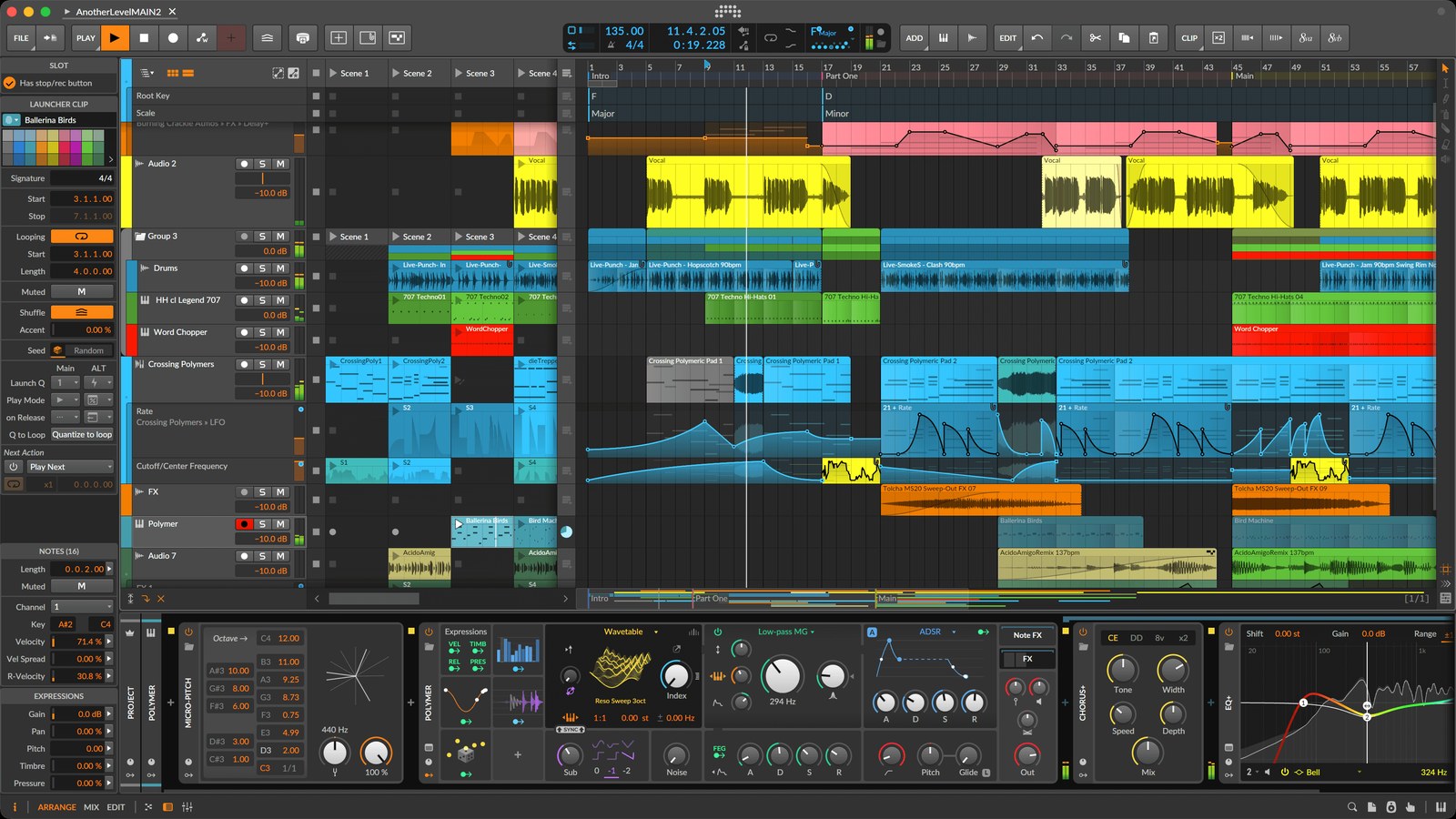
Bitwig Studio places clips, devices and modulation inside one flexible production view. Image: Bitwig.
Modulators can animate Bitwig devices, third-party plug-ins and connected hardware, turning movement into a normal part of sound design rather than an advanced afterthought. The Grid goes further, providing an integrated modular environment for constructing instruments, note processors and effects. Bitwig 6 also brings automation clips, clip aliases and stronger global musical tools into its already flexible workflow.
It is a particularly strong fit for producers who enjoy building systems: evolving percussion, generative sequences, expressive MPE parts or relationships between software and modular hardware. Support for Windows, macOS and Linux also gives it the broadest operating-system reach in this comparison.
The question is whether that freedom matches the music you actually want to finish. Bitwig's deepest strengths may be unnecessary for someone who mainly records conventional performances, and its user base is smaller than those of the longest-established DAWs. For curious sound designers, though, that difference is exactly the attraction.
Best for: modular sound design, experimental sequencing, modulation and hardware integration.
Pro Tools 2026: when the session has to travel
Pro Tools remains highly relevant wherever recording, precision audio editing and professional session exchange matter. Its strengths become clearest when a project includes multiple performers, extensive comping, detailed automation, large mixes or audio that will move between commercial studios and engineers.
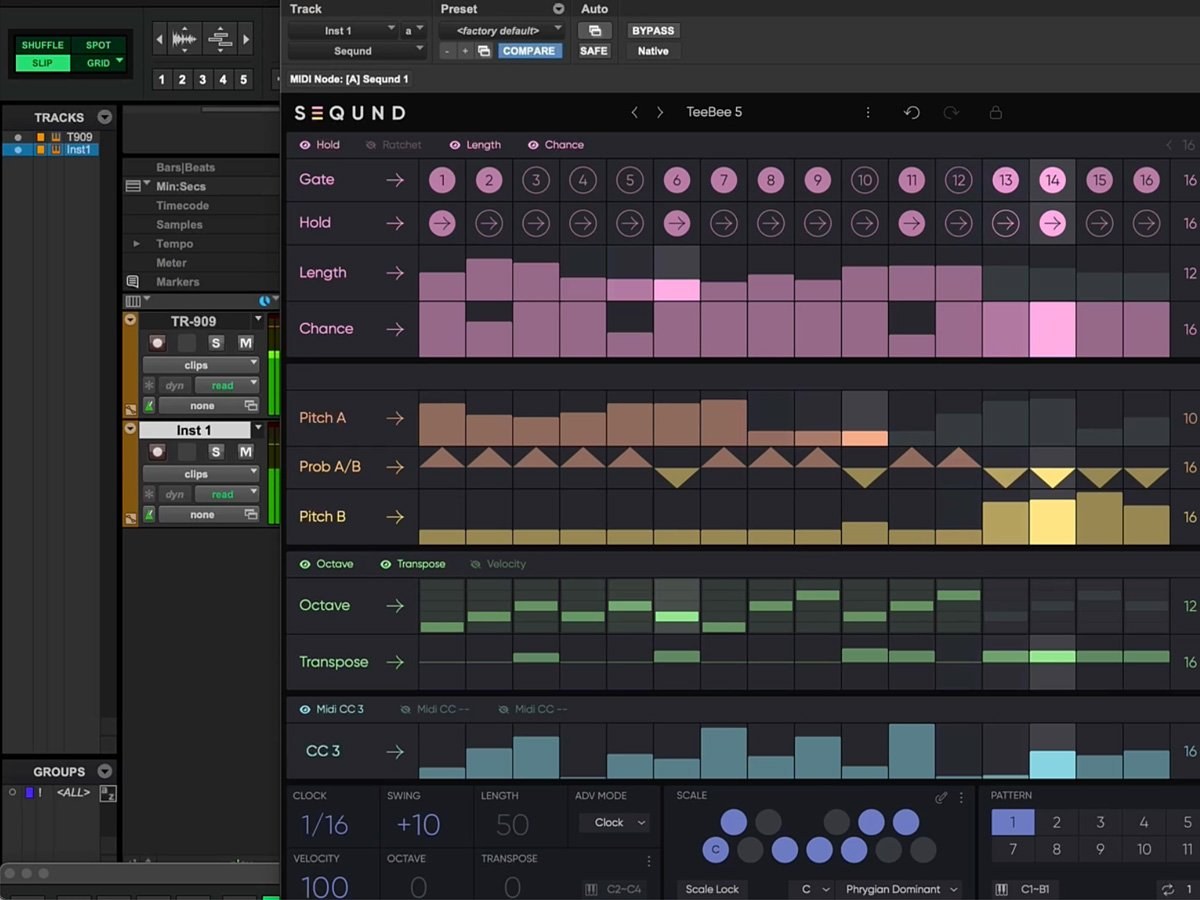
Pro Tools now offers capable electronic writing tools while retaining its audio-editing and session-exchange strengths. Image: Avid.
Current editions include MIDI and virtual-instrument tools, so it is entirely possible to write electronic music from the ground up. Its central character, however, still feels rooted in capturing, editing and mixing audio with control and consistency. That can make it an excellent destination for a track that began elsewhere.
For a producer whose day begins with a drum loop and ends with a live performance, Ableton or FL Studio may feel faster at the creative front end. For someone regularly exchanging sessions with recording studios, vocal producers, mix engineers or post-production teams, Pro Tools familiarity can remove practical barriers.
It does not have to be an either-or decision. Many professional workflows use one DAW for writing and another for recording or final mix preparation.
Best for: tracking, audio editing, mix delivery and professional studio collaboration.
The questions that decide more than a feature list
Do you think in loops or timelines?
If a track begins as combinations of scenes, loops and variations, Ableton Live or Bitwig Studio may feel immediately natural. If you prefer to see the complete song laid out from bar one, Logic, Cubase or Pro Tools provides a more conventional starting point. FL Studio sits between the two: pattern-led at heart, but capable of detailed linear arrangement.
Where does your music begin?
Beat and piano-roll producers should pay close attention to FL Studio. Sound designers may find Bitwig's modulation system addictive. Producers recording vocals and instruments may prefer Logic, Cubase or Pro Tools. Anyone who wants the same set to move between the studio and a stage should put Ableton high on the list.
What do your collaborators use?
The best personal workflow can still create friction if every collaboration requires rebuilding a session. Shared DAW projects are convenient, although disciplined stem export makes cross-platform work possible. If commercial studios form part of the plan, Pro Tools compatibility may matter more than it does for a self-contained electronic producer.
How much do you want included?
Judge the complete working setup, not simply the entry price. A DAW with the instruments and effects you genuinely need may cost less than a cheaper platform followed by months of plug-in purchases. Trials are valuable here: build a small track using only the included tools and see what you actually miss.
What about the tools you use inside the DAW?
The host is only one part of a modern production setup. Third-party plug-ins can make a familiar workflow portable, particularly when a producer moves between different DAWs or collaborates with other studios.
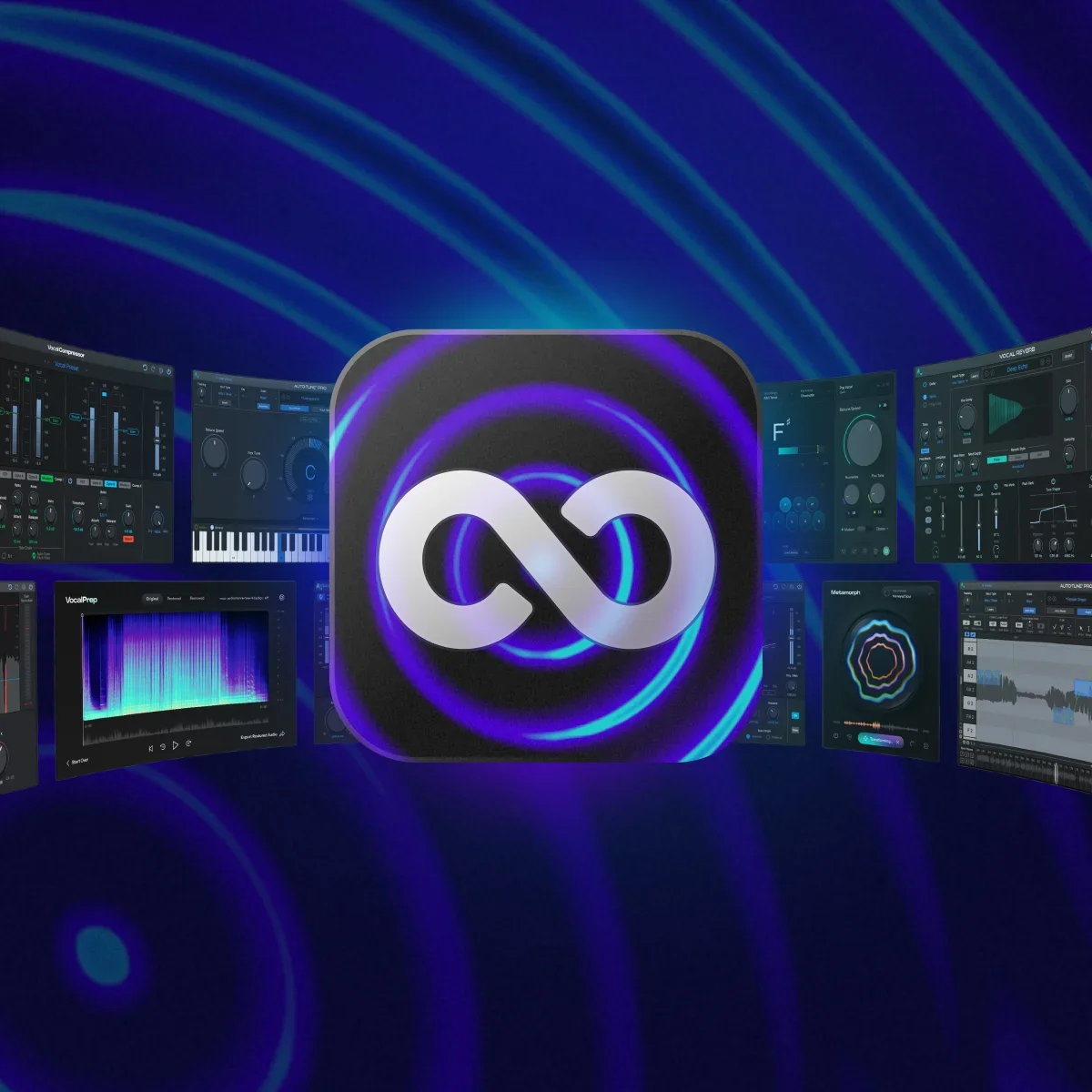
AutoTune Unlimited brings Antares' pitch-correction, vocal-chain and creative tools together in one suite. Image: Antares Audio Technologies.
Vocal editing is a good example. Several platforms in this comparison include capable pitch and timing tools, but I also use Antares Auto-Tune in my own J26 productions. Inside Cubase it runs as a VST3 plug-in on the vocal channel, so it can sit naturally alongside the DAW's recording, comping and mixing workflow.
For me, Auto-Tune and Cubase's integrated VariAudio are complementary rather than interchangeable. VariAudio is excellent when I want detailed editing directly against the Cubase timeline; Auto-Tune gives me a familiar real-time and graphical tuning environment, plus tools such as AutoKey for identifying key and scale. The Unlimited subscription currently brings together more than 20 vocal tools, covering pitch correction, vocal preparation and mixing, and creative effects.
The important part is restraint and intention. I can use Auto-Tune transparently to tidy a performance or push it forward as an audible effect, while allowing the singer and the needs of the track—not the technology itself—to dictate the result.
Explore Auto-Tune Unlimited through J26
Affiliate disclosure: J26 Productions is an approved Antares partner. If you purchase through this link, J26 may receive a commission at no additional cost to you. This does not affect the independent comparison or the price you pay.
Which one makes you want to return tomorrow?
This is the least technical question and possibly the most important. A DAW should invite ideas rather than make you feel that you are operating accounting software. The interface you understand, enjoy and remember will usually beat the platform with the longest specification sheet.
The J26 verdict
Choose Ableton Live if you improvise with loops, remix frequently or want your studio project to become a live set.
Choose Logic Pro if you work on Mac and want a deep, polished all-round studio with a strong collection of included tools.
Choose FL Studio if beats, patterns and piano-roll programming are at the centre of your process.
Choose Cubase if detailed MIDI, vocal work, complex arrangements and traditional studio control all matter.
Choose Bitwig Studio if modulation, modular thinking and experimental sound design are part of the music—not just occasional extras.
Choose Pro Tools if recording, audio editing and exchanging sessions with professional studios are central to the job.
And if two descriptions sound like you, use two. The idea that a producer must remain loyal to one DAW is less important than choosing the right tool for each stage of the record.
The best DAW is not the one that wins the internet argument. It is the one you open, understand and use to finish music.
Editorial note: This comparison remains independent. The Antares recommendation reflects Mark’s genuine use of Auto-Tune and is clearly disclosed as an affiliate link. Other affiliate links will only be added after the relevant partnerships are approved.